Meeting agendas and notes for engineering teams
Make every recurring meeting worth the time.
Give each team meeting a running agenda, action items and a dated note for every session. You walk in knowing what to cover, walk out with clear follow-ups, and can always look up what was decided.
Why recurring meetings stop being useful
No agenda until the meeting starts
Topics surface live, the loudest one wins, and the important item waits another week.
Decisions nobody can find
Was it agreed in the team sync or in a chat thread? Three weeks later, nobody is sure, and the discussion starts again.
Action items without a home
They live in someone's notebook, and the same item comes back next week with no progress.
Every meeting in a different doc
Team sync, staff meeting, planning, cross-team syncs: the notes are spread over docs and wikis, if they exist at all.
How meetings work in FlowHero
- 01
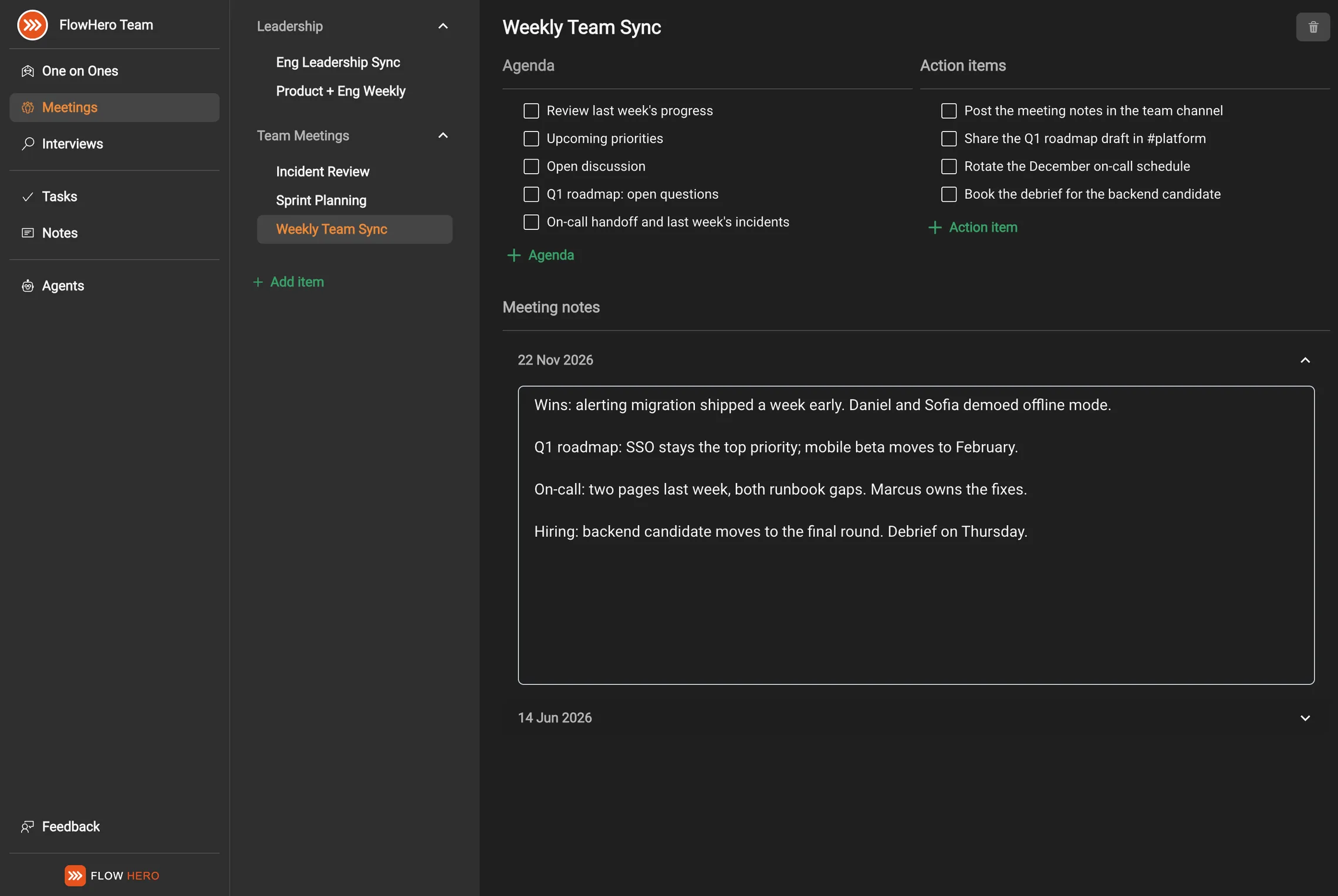
Create one per recurring meeting
Team sync, staff meeting, planning, retro, cross-team syncs. Right-click to group them so the list stays tidy.
- 02
Build the agenda during the week
Add topics as they come up, drag them into priority order, and check them off once they've been covered.
- 03
Write the notes as you meet
Each session gets its own dated note, saved automatically. Earlier sessions stay one click away.
- 04
Follow up on action items
Follow-ups sit next to the agenda until they're done, ready to review at the start of the next meeting.
A meeting record you'll actually use
Find what was decided
A dated note for every session means you can see when something was decided and what the thinking was, instead of reopening the discussion.
Next to your 1:1s
Team meetings live in the same workspace as your one-on-ones, tasks, interview notes and personal notes, each in its own list.
Nothing to set up
No templates to configure and no integrations to connect. Create a meeting, add the first agenda item, and you're ready.
A 30-minute weekly team sync agenda
A simple structure for the meeting most engineering teams hold every week. Add the items as recurring agenda topics and let anyone send you new ones during the week.
- 1.
Wins and shout-outs (5 min)
Start with what went well. Recognition in front of the team is worth more than a private thank-you.
- 2.
Last week's action items (5 min)
Done, blocked or dropped. Nothing quietly carries over from week to week.
- 3.
This week's priorities (10 min)
What matters most and what's at risk. Aim for decisions, not status.
- 4.
Topics from the agenda (8 min)
Items added during the week, most important first. Whatever doesn't fit moves to next week or a separate conversation.
- 5.
Action items and owners (2 min)
Read them back: who does what, by when.
Status that only needs reading belongs in writing before the meeting, so the time together goes to discussion and decisions.
Frequently asked questions
How do I run an effective team meeting?
Collect agenda topics before the meeting, start by reviewing last week's action items, spend the time on decisions rather than status updates, and end by reading back who owns each follow-up. Keep notes in the same place every week so decisions are easy to find later.
What's the difference between Meetings and One on Ones in FlowHero?
They work the same way: a running agenda, action items and dated notes. One on Ones are for the people you meet individually; Meetings are for group syncs. Keeping them in separate lists means each one stays short and easy to scan.
Can attendees add their own agenda items?
Not directly. FlowHero is your workspace as the person running the meeting: your meetings and notes live in your account. Attendees send you topics the way they do today, and you add them to the agenda.
Does FlowHero connect to my calendar?
Not today. Create a meeting once for each recurring sync, and add a new dated note each time you meet. It takes a few seconds and works with any calendar.
Is FlowHero free?
You can start free, with no credit card required. Meetings, One on Ones, tasks, notes, interviews and AI agents are all in the same workspace.
Ready to lead with more clarity and confidence?
Start free. No credit card required.
Powered by Claude · Built for Engineering Leaders · hello@flowhero.ai